{{#if:Cable Coil|}}
{{#if:| Шаблон:Storage | {{#if:Wire is a resource, and can be used in many constructions and to lay down power lines. Make sure all APCs are connected to the main lines with wires, or you'll have black outs.|
{{#if:|CableCoils.png| }} }}
Cable Coil
|
Found in: Nearly everywhere
Used for: Laying electrical wires, building things that use electricity
Strategy: Wire is a resource, and can be used in many constructions and to lay down power lines. Make sure all APCs are connected to the main lines with wires, or you'll have black outs.
|
| Description
|
| {{#if:Can be laid down on the plating to distribute electrical power. Automatically connects to other wires on cardinal tiles. Read the guide to wiring to see how. Make sure you don't touch wired wires on the ground without insulated gloves. Can be placed onto three different layers. Toggle layers by ctrl-clicking the stack of cable coil.
By using wires in hand, you can craft layer bridges or  , which are ghetto restraints used to tie someone down.|Can be laid down on the plating to distribute electrical power. Automatically connects to other wires on cardinal tiles. Read the guide to wiring to see how. Make sure you don't touch wired wires on the ground without insulated gloves. Can be placed onto three different layers. Toggle layers by ctrl-clicking the stack of cable coil. , which are ghetto restraints used to tie someone down.|Can be laid down on the plating to distribute electrical power. Automatically connects to other wires on cardinal tiles. Read the guide to wiring to see how. Make sure you don't touch wired wires on the ground without insulated gloves. Can be placed onto three different layers. Toggle layers by ctrl-clicking the stack of cable coil.
By using wires in hand, you can craft layer bridges or , which are ghetto restraints used to tie someone down.|No description}}
|
|
| {{#if:Laying electrical wires, building things that use electricity|
{{#if:|CableCoils.png|}}
Cable Coil
|
Found in: Nearly everywhere
Used for: Laying electrical wires, building things that use electricity
|
| Description
|
| {{#if:Can be laid down on the plating to distribute electrical power. Automatically connects to other wires on cardinal tiles. Read the guide to wiring to see how. Make sure you don't touch wired wires on the ground without insulated gloves. Can be placed onto three different layers. Toggle layers by ctrl-clicking the stack of cable coil.
By using wires in hand, you can craft layer bridges or , which are ghetto restraints used to tie someone down.|Can be laid down on the plating to distribute electrical power. Automatically connects to other wires on cardinal tiles. Read the guide to wiring to see how. Make sure you don't touch wired wires on the ground without insulated gloves. Can be placed onto three different layers. Toggle layers by ctrl-clicking the stack of cable coil.
By using wires in hand, you can craft layer bridges or , which are ghetto restraints used to tie someone down.|No description}}
|
|
| {{#if:Cable Coil|
| {{#if:|CableCoils.png|{{#ifexist: File:CableCoils.png| }}|no image}}
|
|
|
| The item needs to have the name defined. }} }} }} }}
{{#if:Power Cell|}}
{{#if:High-Capacity Power Cell|}}
{{#if:Super-Capacity Power Cell|}}
{{#if:Hyper-Capacity Power Cell|}}
{{#if:| Шаблон:Storage | {{#if:Used to power cyborgs and various most of electrical equipment, such as: machinery, PDAs, exosuits, etc.
Note: You CAN put them in APCs, but after power rework it won't store enough power and there MIGHT be constant power flicks, use at own risk.|
{{#if:|Powercell.png| }} }}
Power Cell
|
Found in: Cargo, Engineering, EVA, Tech Storage, Primary Tool Storage, R&D, Robotics, inside Space Heaters
Used for: Powering stuff that uses electricity.
Strategy: Used to power cyborgs and various most of electrical equipment, such as: machinery, PDAs, exosuits, etc.
Note: You CAN put them in APCs, but after power rework it won't store enough power and there MIGHT be constant power flicks, use at own risk.
|
|
| {{#if:Powering stuff that uses electricity.|
| {{#if:Power Cell|
| {{#if:|Powercell.png|{{#ifexist: File:Powercell.png| }}|no image}}
|
|
|
| The item needs to have the name defined. }} }} }} }}
{{#if:Upgraded Megacell|}}
{{#if:High-Capacity Megacell|}}
{{#if:Super-Capacity Megacell|}}
{{#if:Hyper-Capacity Megacell|}}
{{#if:Bluespace Megacell|}}
{{#if:| Шаблон:Storage | {{#if:Used in APCs and SMES to power rooms and store big amounts of power. Cannot be used anywhere else.|
{{#if:|Megacell.png|Megacell}}
Megacell
|
Found in: Engineering, inside of SMES and inside of APCs. Inducers are loaded with megacells by default.
Used for: Acting as a powerbank.
Strategy: Used in APCs and SMES to power rooms and store big amounts of power. Cannot be used anywhere else.
|
| Description
|
{{#if:Can NOT be recharged in a  Cell Charger. To recharge megacell you have to put them in APC or in a Cell Charger. To recharge megacell you have to put them in APC or in a  SMES. Can be put in inducers. SMES. Can be put in inducers.
Comes in five main varieties:
|
|
| {{#if:Acting as a powerbank.|
{{#if:|Megacell.png|Megacell}}
Megacell
|
Found in: Engineering, inside of SMES and inside of APCs. Inducers are loaded with megacells by default.
Used for: Acting as a powerbank.
|
| Description
|
{{#if:Can NOT be recharged in a Cell Charger. To recharge megacell you have to put them in APC or in a SMES. Can be put in inducers.
Comes in five main varieties:
|
|
| {{#if:Megacell|
| {{#if:|Megacell.png|{{#ifexist: File:Megacell.png| Megacell}}|no image}}
|
|
|
| The item needs to have the name defined. }} }} }} }}
{{#if:RCD|}}
{{#if:|Rcd_0.png| }} }}
Rapid Construction Device (RCD)
|
Found in: Station Engineer bag, Engi-Vend, ordering from Cargo and Engineering Protolathes (after research).
Used for: Making and destroying walls, windows, airlocks, and floors.
|
| Description
|
| {{#if:An experimental device which can build, or deconstruct areas rapidly. They can be made in the Engineering Protolathe or ordered in Cargo and Engi-Vend
Use this tool in hand to open a radial menu, where you can choose mode and change many settings, such as airlock access, airlock type and window type.
 Ordinary left-click. It doesn't matter if Combat Mode Ordinary left-click. It doesn't matter if Combat Mode  Enable with 4, disable with 1 or toggle with F by default. Left-clicking people with an empty hand will Harm Enable with 4, disable with 1 or toggle with F by default. Left-clicking people with an empty hand will Harm  them if on, or Help them if on, or Help  them if off. Prevents you from switching places or being pushed when colliding with people. is on or not. Construct: them if off. Prevents you from switching places or being pushed when colliding with people. is on or not. Construct:
- Build Floors (2 Ammo)
- Build a Wall (16 Ammo)
- Build a wall on top of a girder (8 Ammo)
- Build a Grille (4 Ammo)
- Build a Window (8 Ammo)
- Build a Reinforced Window (12 Ammo)
- Build an airlock (16 Ammo)
 Ordinary right-click. It doesn't matter if Combat Mode Enable with 4, disable with 1 or toggle with F by default. Left-clicking people with an empty hand will Harm them if on, or Help them if off. Prevents you from switching places or being pushed when colliding with people. is on or not. Deconstruct: Ordinary right-click. It doesn't matter if Combat Mode Enable with 4, disable with 1 or toggle with F by default. Left-clicking people with an empty hand will Harm them if on, or Help them if off. Prevents you from switching places or being pushed when colliding with people. is on or not. Deconstruct:
- Deconstruct a girder (13 Ammo)
- Deconstruct a wall (26 Ammo) (Can't deconstruct reinforced walls, unless it's a syndie cyborg or mech RCD)
- Deconstruct a floor tile into space (33 Ammo)
- Deconstruct a grille (4 Ammo)
- Deconstruct a window (8 Ammo)
- Deconstruct an airlock (32 Ammo)
Can be loaded with Compressed Matter Cartridges and regular metal and glass sheets. One Cartridge holds 40 units, with 160 being the maximum. Be forewarned that changing RCD mode can cause it to emit sparks, which can cause fires in plasma-rich environments.
- Can be upgraded with the RCD advanced design disks, which can be printed from the engineering protolathe after research. This lets the RCD create:
- RCD frames designs upgrade: Wired/wrenched computer and machine frames Файл:Wired Frame.png
- Simple circuits designs upgrade: Simple circuits, which contain the designs for firelock, air alarm, fire alarm, apc circuits and basic power cells. These work the same as the engineering cyborg's Electroadaptive Pseudocircuit.
- RCD furnishing upgrade: Chairs, and tables.
- Can also be upgraded with an Advanced RCD silo link upgrade, which can be printed from the engineering protolathe after research. With this upgrade, the RCD can be used on an Ore Silo to permanently link it. Afterwards, use the radial menu of the RCD to select an option there which makes it pull materials directly from that silo. It can be toggled back to using its internal storage at any time.|An experimental device which can build, or deconstruct areas rapidly. They can be made in the Engineering Protolathe or ordered in Cargo and Engi-Vend
Use this tool in hand to open a radial menu, where you can choose mode and change many settings, such as airlock access, airlock type and window type.
Ordinary left-click. It doesn't matter if Combat Mode Enable with 4, disable with 1 or toggle with F by default. Left-clicking people with an empty hand will Harm them if on, or Help them if off. Prevents you from switching places or being pushed when colliding with people. is on or not. Construct:
- Build Floors (2 Ammo)
- Build a Wall (16 Ammo)
- Build a wall on top of a girder (8 Ammo)
- Build a Grille (4 Ammo)
- Build a Window (8 Ammo)
- Build a Reinforced Window (12 Ammo)
- Build an airlock (16 Ammo)
Ordinary right-click. It doesn't matter if Combat Mode Enable with 4, disable with 1 or toggle with F by default. Left-clicking people with an empty hand will Harm them if on, or Help them if off. Prevents you from switching places or being pushed when colliding with people. is on or not. Deconstruct:
- Deconstruct a girder (13 Ammo)
- Deconstruct a wall (26 Ammo) (Can't deconstruct reinforced walls, unless it's a syndie cyborg or mech RCD)
- Deconstruct a floor tile into space (33 Ammo)
- Deconstruct a grille (4 Ammo)
- Deconstruct a window (8 Ammo)
- Deconstruct an airlock (32 Ammo)
Can be loaded with Compressed Matter Cartridges and regular metal and glass sheets. One Cartridge holds 40 units, with 160 being the maximum. Be forewarned that changing RCD mode can cause it to emit sparks, which can cause fires in plasma-rich environments.
- Can be upgraded with the RCD advanced design disks, which can be printed from the engineering protolathe after research. This lets the RCD create:
- RCD frames designs upgrade: Wired/wrenched computer and machine frames Файл:Wired Frame.png
- Simple circuits designs upgrade: Simple circuits, which contain the designs for firelock, air alarm, fire alarm, apc circuits and basic power cells. These work the same as the engineering cyborg's Electroadaptive Pseudocircuit.
- RCD furnishing upgrade: Chairs, and tables.
- Can also be upgraded with an Advanced RCD silo link upgrade, which can be printed from the engineering protolathe after research. With this upgrade, the RCD can be used on an Ore Silo to permanently link it. Afterwards, use the radial menu of the RCD to select an option there which makes it pull materials directly from that silo. It can be toggled back to using its internal storage at any time.|No description}}
|
|
{{#if:ARCD|}}
{{#if:|Arcd.png| }} }}
Advanced Rapid Construction Device (ARCD)
|
Found in: Admin Magicks
Used for: Making and destroying walls, doors, and floors, from a distance
|
| Description
|
| {{#if:The ARCD is a RCD, except it can construct and deconstruct items from a distance. Unfortunately, short of serious admin fuckery, it cannot be obtained through normal play. Most often used for making Ratvar cry a river.|The ARCD is a RCD, except it can construct and deconstruct items from a distance. Unfortunately, short of serious admin fuckery, it cannot be obtained through normal play. Most often used for making Ratvar cry a river.|No description}}
|
|
{{#if:RPD|}}
{{#if:|Rpd.png| }} }}
Rapid Piping Device (RPD)
|
Found in: Supermatter Chamber, Atmospherics, cargo and engi Protolathes after research
Used for: Dispensing pipes
|
| Description
|
| {{#if:The replacement of the old pipe dispenser, it can manufacture (but not deconstruct) several different pipes. More of an atmospherics tool than for engineering, but it's critical when setting up the Supermatter Engine. Does not consume any sort of ammo or materials to produce pipes. Most often used for spamming a shit ton of volume pumps.
It can dispense regular gas pipes, gas pipe devices, disposals pipes and transit tube pipes.
Can be upgraded to unwrench pipes and devices, after research.|The replacement of the old pipe dispenser, it can manufacture (but not deconstruct) several different pipes. More of an atmospherics tool than for engineering, but it's critical when setting up the Supermatter Engine. Does not consume any sort of ammo or materials to produce pipes. Most often used for spamming a shit ton of volume pumps.
It can dispense regular gas pipes, gas pipe devices, disposals pipes and transit tube pipes.
Can be upgraded to unwrench pipes and devices, after research.|No description}}
|
|
{{#if:RLD|}}
{{#if:| Шаблон:Storage | {{#if:A device used to rapidly provide lighting sources to an area. Reload with metal, plasteel, glass or compressed matter cartridges|
{{#if:|Rld.png| }} }}
Rapid Light Dispenser (RLD)
|
Found in: Engineering and Cargo Protolathes, after acquiring the tech disk from the B.E.P.I.S.
Used for: Lighting up an area
Strategy: A device used to rapidly provide lighting sources to an area. Reload with metal, plasteel, glass or compressed matter cartridges
|
| Description
|
{{#if:The RLD has 3 different modes:
- Permanent Light Collection: The RLD can attach lights to the floor or to the wall. These lights will burn forever as long as the APC in the room is powered.
- Light Launcher: The RLD launches glowsticks at a distance
- Deconstruct: Tears apart wall/floor lights|The RLD has 3 different modes:
- Permanent Light Collection: The RLD can attach lights to the floor or to the wall. These lights will burn forever as long as the APC in the room is powered.
- Light Launcher: The RLD launches glowsticks at a distance
- Deconstruct: Tears apart wall/floor lights|No description}}
|
|
| {{#if:Lighting up an area|
{{#if:|Rld.png|}}
Rapid Light Dispenser (RLD)
|
Found in: Engineering and Cargo Protolathes, after acquiring the tech disk from the B.E.P.I.S.
Used for: Lighting up an area
|
| Description
|
{{#if:The RLD has 3 different modes:
- Permanent Light Collection: The RLD can attach lights to the floor or to the wall. These lights will burn forever as long as the APC in the room is powered.
- Light Launcher: The RLD launches glowsticks at a distance
- Deconstruct: Tears apart wall/floor lights|The RLD has 3 different modes:
- Permanent Light Collection: The RLD can attach lights to the floor or to the wall. These lights will burn forever as long as the APC in the room is powered.
- Light Launcher: The RLD launches glowsticks at a distance
- Deconstruct: Tears apart wall/floor lights|No description}}
|
|
| {{#if:Rapid Light Dispenser (RLD)|
| {{#if:|Rld.png|{{#ifexist: File:Rld.png| }}|no image}}
|
| Rapid Light Dispenser (RLD)
|
|
|
| The item needs to have the name defined. }} }} }} }}
{{#if:Crowbar|}}
{{#if:| Шаблон:Storage | {{#if:If the power goes out on the station, you will need a crowbar to open doors. Otherwise it's just for breaking things.|
{{#if:|Crowbar.png| }} }}
Crowbar
|
Found in: Nearly everywhere
Used for: Opening airlocks, breaking things.
Strategy: If the power goes out on the station, you will need a crowbar to open doors. Otherwise it's just for breaking things.
|
| Description
|
| The crowbar can pry open things or pry closed things and is used in deconstructing objects like computers and airlocks. It will open powered down doors and fire doors. You can use it to remove floor tiles, especially useful when they are damaged or you believe wires have been cut. Comes in four flavors, gunmetal grey, robust red, bronze brass, and illegally fast black and red.|No description}}
|
|
| {{#if:Opening airlocks, breaking things.|
{{#if:|Crowbar.png|}}
Crowbar
|
Found in: Nearly everywhere
Used for: Opening airlocks, breaking things.
|
| Description
|
| The crowbar can pry open things or pry closed things and is used in deconstructing objects like computers and airlocks. It will open powered down doors and fire doors. You can use it to remove floor tiles, especially useful when they are damaged or you believe wires have been cut. Comes in four flavors, gunmetal grey, robust red, bronze brass, and illegally fast black and red.|No description}}
|
|
| {{#if:Crowbar|
| {{#if:|Crowbar.png|{{#ifexist: File:Crowbar.png| }}|no image}}
|
|
|
| The item needs to have the name defined. }} }} }} }}
{{#if:Screwdriver|}}
{{#if:| Шаблон:Storage | {{#if:Almost every machine requires a screwdriver to build it or take it apart.|
| Description
|
| A simple, but often needed tool. Everything from APCs to windows to computers can be unscrewed. Grilles can be unscrewed and pulled away instead of broken. A screwdriver to the eyes is a dangerous weapon.|No description}}
|
|
| {{#if:Construction and deconstruction|
| Description
|
| A simple, but often needed tool. Everything from APCs to windows to computers can be unscrewed. Grilles can be unscrewed and pulled away instead of broken. A screwdriver to the eyes is a dangerous weapon.|No description}}
|
|
| {{#if:Screwdriver|
{{#if:|Screwdriver tool.png|{{#ifexist: File:Screwdriver tool.png|  }}|no image}} }}|no image}}
|
|
|
| The item needs to have the name defined. }} }} }} }}
{{#if:Wirecutters|}}
{{#if:| Шаблон:Storage | {{#if:One quick snip and you can remove wires from any machine, security camera, or from the floor. Make sure to wear gloves.|
| Description
|
| More or less an undo tool with wires. Can be used to disable cameras, and needed to take apart most machines. Can also be used to deconstruct grilles instantly.|No description}}
|
|
| {{#if:Removing wires|
| Description
|
| More or less an undo tool with wires. Can be used to disable cameras, and needed to take apart most machines. Can also be used to deconstruct grilles instantly.|No description}}
|
|
| {{#if:Wirecutters|
| {{#if:|Wirecutters.png|{{#ifexist: File:Wirecutters.png| Wirecutters}}|no image}}
|
|
|
| The item needs to have the name defined. }} }} }} }}
{{#if:Wrench|}}
{{#if:| Шаблон:Storage | {{#if:Wrenches are usually used to take things apart, like wall girders, or tables. Only the emitters and computers use them in construction stages. They either fasten bolts, or take apart bolts.|
{{#if:|Wrench.png|Wrench}}
Wrench
|
Found in: Nearly everywhere
Used for: Deconstruction, attaching bolts
Strategy: Wrenches are usually used to take things apart, like wall girders, or tables. Only the emitters and computers use them in construction stages. They either fasten bolts, or take apart bolts.
|
| Description
|
| This tool is used more to take the station apart than to put it together. Most departments need one to secure some machine or another.|No description}}
|
|
| {{#if:Deconstruction, attaching bolts|
{{#if:|Wrench.png|Wrench}}
Wrench
|
Found in: Nearly everywhere
Used for: Deconstruction, attaching bolts
|
| Description
|
| This tool is used more to take the station apart than to put it together. Most departments need one to secure some machine or another.|No description}}
|
|
| {{#if:Wrench|
| {{#if:|Wrench.png|{{#ifexist: File:Wrench.png| Wrench}}|no image}}
|
|
|
| The item needs to have the name defined. }} }} }} }}
{{#if:Welding Tool|}}
{{#if:| Шаблон:Storage | {{#if:You can cut all manner of things apart, from lockers (open locker, click while lit) to walls. OR, You can weld shut doors and lockers. It is useless when out of fuel.|
| Description
|
| A must have for engineers. Most modifications you make to the station will require this tool. It does have an open flame, so it will light everything from cigarettes to plasma. Use it as a weapon against weeds and vines. Don't refuel it when lit unless you want an explosion. Be sure to use eye protection unless you like slowly going blind.|No description}}
|
|
| {{#if:Sealing airlocks, construction and deconstruction. Fighting aliens.|
| Description
|
| A must have for engineers. Most modifications you make to the station will require this tool. It does have an open flame, so it will light everything from cigarettes to plasma. Use it as a weapon against weeds and vines. Don't refuel it when lit unless you want an explosion. Be sure to use eye protection unless you like slowly going blind.|No description}}
|
|
| {{#if:Welding Tool|
| {{#if:|Welder.png|{{#ifexist: File:Welder.png| Welding Tool}}|no image}}
|
|
|
| The item needs to have the name defined. }} }} }} }}
{{#if:Industrial Welding Tool|}}
{{#if:| Шаблон:Storage | {{#if:You can weld objects together, you can unweld objects together|
{{#if:|Induswelder.png| }} }}
Industrial Welding Tool
|
Found in: Engineering, Hacked Autolathe
Used for: Welding stuff, even better
Strategy: You can weld objects together, you can unweld objects together
|
| Description
|
| {{#if:It's a welding tool, but it has double fuel capacity. Most rounds, you don't have to refuel it at all.
There also is the Upgraded Industrial Welding Tool with 80u of fuel, available in YouTool vendors and in the miner voucher's Minebot kit.|It's a welding tool, but it has double fuel capacity. Most rounds, you don't have to refuel it at all.
There also is the Upgraded Industrial Welding Tool with 80u of fuel, available in YouTool vendors and in the miner voucher's Minebot kit.|No description}}
|
|
| {{#if:Welding stuff, even better|
{{#if:|Induswelder.png|}}
Industrial Welding Tool
|
Found in: Engineering, Hacked Autolathe
Used for: Welding stuff, even better
|
| Description
|
| {{#if:It's a welding tool, but it has double fuel capacity. Most rounds, you don't have to refuel it at all.
There also is the Upgraded Industrial Welding Tool with 80u of fuel, available in YouTool vendors and in the miner voucher's Minebot kit.|It's a welding tool, but it has double fuel capacity. Most rounds, you don't have to refuel it at all.
There also is the Upgraded Industrial Welding Tool with 80u of fuel, available in YouTool vendors and in the miner voucher's Minebot kit.|No description}}
|
|
| {{#if:Industrial Welding Tool|
| {{#if:|Induswelder.png|{{#ifexist: File:Induswelder.png| }}|no image}}
|
|
|
| The item needs to have the name defined. }} }} }} }}
{{#if:Multitool|}}
{{#if:| Шаблон:Storage | {{#if:Multitools are used to pulse wires while hacking anything. Having one gives you more control over the device you are hacking.|
| Description
|
| {{#if:Used for hacking Airlocks, APCs, autolathes, mulebots, vending machines, and nearly anything else with a panel. See the guide to hacking for more information. Also used as a buffer for the Ore Silo and Tcomms.|Used for hacking Airlocks, APCs, autolathes, mulebots, vending machines, and nearly anything else with a panel. See the guide to hacking for more information. Also used as a buffer for the Ore Silo and Tcomms.|No description}}
|
|
| {{#if:Hacking, Ore Silo linking, Telecommunications, Surgery on cybernetics|
| Description
|
| {{#if:Used for hacking Airlocks, APCs, autolathes, mulebots, vending machines, and nearly anything else with a panel. See the guide to hacking for more information. Also used as a buffer for the Ore Silo and Tcomms.|Used for hacking Airlocks, APCs, autolathes, mulebots, vending machines, and nearly anything else with a panel. See the guide to hacking for more information. Also used as a buffer for the Ore Silo and Tcomms.|No description}}
|
|
| {{#if:Multitool|
{{#if:|Multitool.png|{{#ifexist: File:Multitool.png|  }}|no image}} }}|no image}}
|
|
|
| The item needs to have the name defined. }} }} }} }}
{{#if:Analyzer|}}
{{#if:| Шаблон:Storage | {{#if:If you ever needed a complex readout about your current atmosphere, this is the tool for you.|
{{#if:|Analyzer.png| }} }}
Analyzer
|
Found in: Toolboxes
Used for: Scanning the air, analyze anomalies
Strategy: If you ever needed a complex readout about your current atmosphere, this is the tool for you.
|
| Description
|
| {{#if:Can be used to scan the atmosphere, and shows you what's inside a Canister or a pipe. The analyzer can also be added to an unscrewed Security Camera to upgrade it to an X-ray camera, and will prove invaluable in the case of a anomaly.
Otherwise, made practically worthless by the PDA Air Scanner.|Can be used to scan the atmosphere, and shows you what's inside a Canister or a pipe. The analyzer can also be added to an unscrewed Security Camera to upgrade it to an X-ray camera, and will prove invaluable in the case of a anomaly.
Otherwise, made practically worthless by the PDA Air Scanner.|No description}}
|
|
| {{#if:Scanning the air, analyze anomalies|
{{#if:|Analyzer.png|}}
Analyzer
|
Found in: Toolboxes
Used for: Scanning the air, analyze anomalies
|
| Description
|
| {{#if:Can be used to scan the atmosphere, and shows you what's inside a Canister or a pipe. The analyzer can also be added to an unscrewed Security Camera to upgrade it to an X-ray camera, and will prove invaluable in the case of a anomaly.
Otherwise, made practically worthless by the PDA Air Scanner.|Can be used to scan the atmosphere, and shows you what's inside a Canister or a pipe. The analyzer can also be added to an unscrewed Security Camera to upgrade it to an X-ray camera, and will prove invaluable in the case of a anomaly.
Otherwise, made practically worthless by the PDA Air Scanner.|No description}}
|
|
| {{#if:Analyzer|
| {{#if:|Analyzer.png|{{#ifexist: File:Analyzer.png| }}|no image}}
|
|
|
| The item needs to have the name defined. }} }} }} }}
{{#if:T-Ray Scanner|}}
{{#if:| Шаблон:Storage | {{#if:If you are actually doing repair work, a T-ray scanner in your pocket will let you plan out wires and pipes.|
| Description
|
| {{#if:Click on it on your hand to activate. When activated it will reveal wires and pipes (and "lost" satchels) under the flooring, as well as creatures such as monkeys, slimes and xenomorphs inside pipes, as well as make cloaked people flicker.|Click on it on your hand to activate. When activated it will reveal wires and pipes (and "lost" satchels) under the flooring, as well as creatures such as monkeys, slimes and xenomorphs inside pipes, as well as make cloaked people flicker.|No description}}
|
|
| {{#if:Seeing under floor tiles|
| Description
|
| {{#if:Click on it on your hand to activate. When activated it will reveal wires and pipes (and "lost" satchels) under the flooring, as well as creatures such as monkeys, slimes and xenomorphs inside pipes, as well as make cloaked people flicker.|Click on it on your hand to activate. When activated it will reveal wires and pipes (and "lost" satchels) under the flooring, as well as creatures such as monkeys, slimes and xenomorphs inside pipes, as well as make cloaked people flicker.|No description}}
|
|
| {{#if:T-ray Scanner|
{{#if:|t-ray.gif|{{#ifexist: File:t-ray.gif|  }}|no image}} }}|no image}}
|
|
|
| The item needs to have the name defined. }} }} }} }}
{{#if:Rapid Pipe Cleaner Layer|}}
{{#if:| Шаблон:Storage | {{#if:Wield it with both your hands, walk slowly|
{{#if:|Rcl.png| }} }}
Rapid Pipe Cleaner Layer
|
Found in: Engineering, Art_Storage
Used for: Laying cosmetic pipe cleaners
Strategy: Wield it with both your hands, walk slowly
|
| Description
|
| {{#if:The Rapid Pipe Cleaner Layer can hold 90 pieces of Pipe Cleaner. When wielded with a single hand, it can lay pipe cleaner manually. However, when it is wielded with both hands, it lays pipe cleaners under you as you walk. Used for wire art.|The Rapid Pipe Cleaner Layer can hold 90 pieces of Pipe Cleaner. When wielded with a single hand, it can lay pipe cleaner manually. However, when it is wielded with both hands, it lays pipe cleaners under you as you walk. Used for wire art.|No description}}
|
|
| {{#if:Laying cosmetic pipe cleaners|
{{#if:|Rcl.png|}}
Rapid Pipe Cleaner Layer
|
Found in: Engineering, Art_Storage
Used for: Laying cosmetic pipe cleaners
|
| Description
|
| {{#if:The Rapid Pipe Cleaner Layer can hold 90 pieces of Pipe Cleaner. When wielded with a single hand, it can lay pipe cleaner manually. However, when it is wielded with both hands, it lays pipe cleaners under you as you walk. Used for wire art.|The Rapid Pipe Cleaner Layer can hold 90 pieces of Pipe Cleaner. When wielded with a single hand, it can lay pipe cleaner manually. However, when it is wielded with both hands, it lays pipe cleaners under you as you walk. Used for wire art.|No description}}
|
|
| {{#if:Rapid Pipe Cleaner Layer|
| {{#if:|Rcl.png|{{#ifexist: File:Rcl.png| }}|no image}}
|
|
|
| The item needs to have the name defined. }} }} }} }}
{{#if:Airlock Painter|}}
{{#if:| Шаблон:Storage | {{#if:Put a toner in it and use it on an airlock and select how you want it to look|
{{#if:|Airlock_Painter.png| }} }}
Airlock Painter
|
Found in: Engineering, Autolathe
Used for: Painting airlocks
Strategy: Put a toner in it and use it on an airlock and select how you want it to look
|
| Description
|
| An advanced autopainter preprogrammed with several paintjobs for airlocks. Use it on an airlock during or after construction to change the paintjob.|No description}}
|
|
| {{#if:Painting airlocks|
{{#if:|Airlock_Painter.png|}}
Airlock Painter
|
Found in: Engineering, Autolathe
Used for: Painting airlocks
|
| Description
|
| An advanced autopainter preprogrammed with several paintjobs for airlocks. Use it on an airlock during or after construction to change the paintjob.|No description}}
|
|
| {{#if:Airlock Painter|
| {{#if:|Airlock_Painter.png|{{#ifexist: File:Airlock_Painter.png| }}|no image}}
|
|
|
| The item needs to have the name defined. }} }} }} }}
{{#if:Emergency Welding Tool|}}
{{#if:| Шаблон:Storage | {{#if:Welding stuff|
{{#if:|Emergency welding tool.png| }} }}
Emergency Welding Tool
|
Found in: Emergency toolboxes through the station
Used for: Same as a regular welding tool
Strategy: Welding stuff
|
| Description
|
| Functions identically to a normal welding tool, but only has 10 units of fuel.|No description}}
|
|
| {{#if:Same as a regular welding tool|
{{#if:|Emergency welding tool.png|}}
Emergency Welding Tool
|
Found in: Emergency toolboxes through the station
Used for: Same as a regular welding tool
|
| Description
|
| Functions identically to a normal welding tool, but only has 10 units of fuel.|No description}}
|
|
| {{#if:Emergency Welding Tool|
| {{#if:|Emergency welding tool.png|{{#ifexist: File:Emergency welding tool.png| }}|no image}}
|
|
|
| The item needs to have the name defined. }} }} }} }}
{{#if:Inducer|}}
{{#if:| Шаблон:Storage | {{#if:Use and give away inducers to recharge essential machines (chem dispensers, APCs), especially when the power goes out.|
{{#if:true|  |[[File:|64px|Inducer]]}} |[[File:|64px|Inducer]]}}
Inducer
|
Found in: Engineering's electrical locker, Engineering & Science Protolathes (after research)
Used for: Recharging machines
Strategy: Use and give away inducers to recharge essential machines (chem dispensers, APCs), especially when the power goes out.
|
| Description
|
| You can click on a machine or an APC with an inducer to recharge it. Recharge the inducer itself by replacing the power cell within it.|No description}}
|
|
| {{#if:Recharging machines|
{{#if:true||[[File:|64px|Inducer]]}}
Inducer
|
Found in: Engineering's electrical locker, Engineering & Science Protolathes (after research)
Used for: Recharging machines
|
| Description
|
| You can click on a machine or an APC with an inducer to recharge it. Recharge the inducer itself by replacing the power cell within it.|No description}}
|
|
| {{#if:Inducer|
| {{#if:true||{{#ifexist: File:| [[File:|64px|Inducer]]}}|no image}}
|
|
|
| The item needs to have the name defined. }} }} }} }}
{{#if:Jaws of Life|}}
{{#if:| Шаблон:Storage | {{#if:It's a crowbar and a pair of wirecutters combined into a single tool|
{{#if:true|  |[[File:|64px|Jaws of Life]]}} |[[File:|64px|Jaws of Life]]}}
Jaws of Life
|
Found in: Chief Engineer's Toolbelt, Engineering Protolathe (after research)
Used for: Prying open doors, cutting wires, popping out floor tiles
Strategy: It's a crowbar and a pair of wirecutters combined into a single tool
|
| Description
|
| While in cutting mode, you can cut wires and hack machines. While in prying mode, you can pop out floor tiles, and instantly open unpowered/fire doors. Similarly to the Fire Axe, you can pry open powered doors with a bit of effort.|No description}}
|
|
| {{#if:Prying open doors, cutting wires, popping out floor tiles|
{{#if:true||[[File:|64px|Jaws of Life]]}}
Jaws of Life
|
Found in: Chief Engineer's Toolbelt, Engineering Protolathe (after research)
Used for: Prying open doors, cutting wires, popping out floor tiles
|
| Description
|
| While in cutting mode, you can cut wires and hack machines. While in prying mode, you can pop out floor tiles, and instantly open unpowered/fire doors. Similarly to the Fire Axe, you can pry open powered doors with a bit of effort.|No description}}
|
|
| {{#if:Jaws of Life|
| {{#if:true||{{#ifexist: File:| [[File:|64px|Jaws of Life]]}}|no image}}
|
|
|
| The item needs to have the name defined. }} }} }} }}
{{#if:Hand Drill|}}
{{#if:| Шаблон:Storage | {{#if:It's a screwdriver and a wrench combined into a single tool|
{{#if:true|  |[[File:|64px|Hand Drill]]}} |[[File:|64px|Hand Drill]]}}
Hand Drill
|
Found in: Chief Engineer's Toolbelt, Engineering Protolathe (after research)
Used for: Exposing wires, securing objects, building mechs
Strategy: It's a screwdriver and a wrench combined into a single tool
|
| Description
|
| {{#if:With the screw driver bit, you can expose wires to hack stuff. With the bolt driver bit, you can secure canisters and wrench down loose objects faster. Faster (.7) than basic tools, slower than the borgs' (.5), the Aliens' (.1) or the Black Market's (.3).|With the screw driver bit, you can expose wires to hack stuff. With the bolt driver bit, you can secure canisters and wrench down loose objects faster. Faster (.7) than basic tools, slower than the borgs' (.5), the Aliens' (.1) or the Black Market's (.3).|No description}}
|
|
| {{#if:Exposing wires, securing objects, building mechs|
{{#if:true||[[File:|64px|Hand Drill]]}}
Hand Drill
|
Found in: Chief Engineer's Toolbelt, Engineering Protolathe (after research)
Used for: Exposing wires, securing objects, building mechs
|
| Description
|
| {{#if:With the screw driver bit, you can expose wires to hack stuff. With the bolt driver bit, you can secure canisters and wrench down loose objects faster. Faster (.7) than basic tools, slower than the borgs' (.5), the Aliens' (.1) or the Black Market's (.3).|With the screw driver bit, you can expose wires to hack stuff. With the bolt driver bit, you can secure canisters and wrench down loose objects faster. Faster (.7) than basic tools, slower than the borgs' (.5), the Aliens' (.1) or the Black Market's (.3).|No description}}
|
|
| {{#if:Hand Drill|
| {{#if:true||{{#ifexist: File:| [[File:|64px|Hand Drill]]}}|no image}}
|
|
|
| The item needs to have the name defined. }} }} }} }}
{{#if:Experimental Welding Tool|}}
{{#if:| Шаблон:Storage | {{#if:It's a better welding tool|
{{#if:|Exwelder.png| }} }}
Experimental Welding Tool
|
Found in: Chief Engineer's Toolbelt, Engineering & Science Protolathes (after research)
Used for: Welding stuff
Strategy: It's a better welding tool
|
| Description
|
| This welding tool contains more fuel (40u), welds objects quicker, and recharges fuel on its own, without any intervention.|No description}}
|
|
| {{#if:Welding stuff|
{{#if:|Exwelder.png|}}
Experimental Welding Tool
|
Found in: Chief Engineer's Toolbelt, Engineering & Science Protolathes (after research)
Used for: Welding stuff
|
| Description
|
| This welding tool contains more fuel (40u), welds objects quicker, and recharges fuel on its own, without any intervention.|No description}}
|
|
| {{#if:Experimental Welding Tool|
| {{#if:|Exwelder.png|{{#ifexist: File:Exwelder.png| }}|no image}}
|
| Experimental Welding Tool
|
|
|
| The item needs to have the name defined. }} }} }} }}
{{#if:Geiger Counter|}}
{{#if:| Шаблон:Storage | {{#if:Use it on people or objects to see whats causing all the radiation poisoning.|
{{#if:|Geiger_on_1_0.png| }} }}
Geiger Counter
|
Found in: Radiation Locker
Used for: Measuring Radiation.
Strategy: Use it on people or objects to see whats causing all the radiation poisoning.
|
| Description
|
The Geiger Counter is useless used to measure radiations.|No description}}
|
|
| {{#if:Measuring Radiation.|
{{#if:|Geiger_on_1_0.png|}}
Geiger Counter
|
Found in: Radiation Locker
Used for: Measuring Radiation.
|
| Description
|
The Geiger Counter is useless used to measure radiations.|No description}}
|
|
| {{#if:Geiger Counter|
| {{#if:|Geiger_on_1_0.png|{{#ifexist: File:Geiger_on_1_0.png| }}|no image}}
|
|
|
| The item needs to have the name defined. }} }} }} }}
{{#if:Construction Bag|}}
{{#if:| Шаблон:Storage | {{#if:Put the parts in it needed to construct machines and other things.|
{{#if:|Construction_bag.png| }} }}
Construction Bag
|
Found in: Engineering
Used for: Carrying stock parts and circuit boards.
Strategy: Put the parts in it needed to construct machines and other things.
|
| Description
|
| Can hold stock parts, other common machine components, circuits, misc electronics and cable coils.|No description}}
|
|
| {{#if:Carrying stock parts and circuit boards.|
{{#if:|Construction_bag.png|}}
Construction Bag
|
Found in: Engineering
Used for: Carrying stock parts and circuit boards.
|
| Description
|
| Can hold stock parts, other common machine components, circuits, misc electronics and cable coils.|No description}}
|
|
| {{#if:Construction Bag|
| {{#if:|Construction_bag.png|{{#ifexist: File:Construction_bag.png| }}|no image}}
|
|
|
| The item needs to have the name defined. }} }} }} }}
Engineering Gear[править]
{{#if:| Шаблон:Storage | {{#if:|
{{#if:|HardHat.png| }} }}
Hard Hat
|
Found in: {{{foundin}}}
Used for: {{{usedfor}}}
Strategy: {{{strategy}}}
|
| Description
|
| {{{description}}}|No description}}
|
|
| {{#if:|
{{#if:|HardHat.png|}}
Hard Hat
|
Found in: {{{foundin}}}
Used for: {{{usedfor}}}
|
| Description
|
| {{{description}}}|No description}}
|
|
| {{#if:Hard Hat|
| {{#if:|HardHat.png|{{#ifexist: File:HardHat.png| }}|no image}}
|
|
|
| The item needs to have the name defined. }} }} }} }}
{{#if:| Шаблон:Storage | {{#if:|
| Description
|
| {{{description}}}|No description}}
|
|
| {{#if:|
| Description
|
| {{{description}}}|No description}}
|
|
| {{#if:Welding Helmet|
| {{#if:|WeldingHelmet.png|{{#ifexist: File:WeldingHelmet.png| Welding Helmet}}|no image}}
|
|
|
| The item needs to have the name defined. }} }} }} }}
{{#if:| Шаблон:Storage | {{#if:|
{{#if:|MGlasses.png| }} }}
Optical Meson Scanner
|
Found in: {{{foundin}}}
Used for: {{{usedfor}}}
Strategy: {{{strategy}}}
|
| Description
|
| {{{description}}}|No description}}
|
|
| {{#if:|
| Description
|
| {{{description}}}|No description}}
|
|
| {{#if:Optical Meson Scanner|
| {{#if:|MGlasses.png|{{#ifexist: File:MGlasses.png| }}|no image}}
|
|
|
| The item needs to have the name defined. }} }} }} }}
{{#if:| Шаблон:Storage | {{#if:|
| Description
|
| {{{description}}}|No description}}
|
|
| {{#if:|
| Description
|
| {{{description}}}|No description}}
|
|
| {{#if:Engineering Scanner Goggles|
{{#if:|EngiScanners.png|{{#ifexist: File:EngiScanners.png|  }}|no image}} }}|no image}}
|
|
|
| The item needs to have the name defined. }} }} }} }}
{{#if:| Шаблон:Storage | {{#if:|
{{#if:|Hazard.png| }} }}
Hazard Vest
|
Found in: {{{foundin}}}
Used for: {{{usedfor}}}
Strategy: {{{strategy}}}
|
| Description
|
| {{{description}}}|No description}}
|
|
| {{#if:|
{{#if:|Hazard.png|}}
Hazard Vest
|
Found in: {{{foundin}}}
Used for: {{{usedfor}}}
|
| Description
|
| {{{description}}}|No description}}
|
|
| {{#if:Hazard Vest|
| {{#if:|Hazard.png|{{#ifexist: File:Hazard.png| }}|no image}}
|
|
|
| The item needs to have the name defined. }} }} }} }}
{{#if:| Шаблон:Storage | {{#if:|
{{#if:|IGloves.png| }} }}
Insulated Gloves
|
Found in: {{{foundin}}}
Used for: {{{usedfor}}}
Strategy: {{{strategy}}}
|
| Description
|
| {{{description}}}|No description}}
|
|
| {{#if:|
{{#if:|IGloves.png|}}
Insulated Gloves
|
Found in: {{{foundin}}}
Used for: {{{usedfor}}}
|
| Description
|
| {{{description}}}|No description}}
|
|
| {{#if:Insulated Gloves|
| {{#if:|IGloves.png|{{#ifexist: File:IGloves.png| }}|no image}}
|
|
|
| The item needs to have the name defined. }} }} }} }}
{{#if:| Шаблон:Storage | {{#if:|
{{#if:|utilitybelt.png|Tool Belt}}
Tool Belt
|
Found in: {{{foundin}}}
Used for: {{{usedfor}}}
Strategy: {{{strategy}}}
|
| Description
|
| {{{description}}}|No description}}
|
|
| {{#if:|
{{#if:|utilitybelt.png|Tool Belt}}
Tool Belt
|
Found in: {{{foundin}}}
Used for: {{{usedfor}}}
|
| Description
|
| {{{description}}}|No description}}
|
|
| {{#if:Tool Belt|
| {{#if:|utilitybelt.png|{{#ifexist: File:utilitybelt.png| Tool Belt}}|no image}}
|
|
|
| The item needs to have the name defined. }} }} }} }}
{{#if:| Шаблон:Storage | {{#if:|
{{#if:|Engineering_modsuit.png| }} }}
MODsuit
|
Found in: {{{foundin}}}
Used for: {{{usedfor}}}
Strategy: {{{strategy}}}
|
| Description
|
| {{{description}}}|No description}}
|
|
| {{#if:|
{{#if:|Engineering_modsuit.png|}}
MODsuit
|
Found in: {{{foundin}}}
Used for: {{{usedfor}}}
|
| Description
|
| {{{description}}}|No description}}
|
|
| {{#if:MODsuit|
| {{#if:|Engineering_modsuit.png|{{#ifexist: File:Engineering_modsuit.png| }}|no image}}
|
|
|
| The item needs to have the name defined. }} }} }} }}
{{#if:| Шаблон:Storage | {{#if:Get a loaded RCD smart metal foam grenades from here.|
{{#if:|Engivend.png| }} }}
Engi-Vend
|
Found in: Engineering
Used for: Supplying yourself with electronics and engineering equipment
Strategy: Get a loaded RCD smart metal foam grenades from here.
|
|
| {{#if:Supplying yourself with electronics and engineering equipment|
{{#if:|Engivend.png|}}
Engi-Vend
|
Found in: Engineering
Used for: Supplying yourself with electronics and engineering equipment
|
|
| {{#if:Engi-Vend|
| {{#if:|Engivend.png|{{#ifexist: File:Engivend.png| }}|no image}}
|
|
|
| The item needs to have the name defined. }} }} }} }}
{{#if:SMES Cell|}}
{{#if:| Шаблон:Storage | {{#if:Set an input (how much power will be drawn from input wire terminal), set on output (preferably smaller than the input so something will actually be stored in the cell), and watch the station flourish!|
{{#if:|SMES_Charging.gif| }} }}
SMES
Superconducting Magnetic Energy Storage
|
Found in: Engineering, Solars, AI Chamber, Mining Station, Telecommunications
Used for: Storing and distributing power
Strategy: Set an input (how much power will be drawn from input wire terminal), set on output (preferably smaller than the input so something will actually be stored in the cell), and watch the station flourish!
|
| Description
|
{{#if:Huge cell/battery for power distributing purposes. Maximum capacity 5 megawatts.
Remember: Wire connected to the floor terminal = power input. Wire under the SMES = power output.
Left lights represent how much of the SMES is loaded.
The top right light shows the input power status. If it's off = none, red = on but receiving no power, blinking yellow = receiving power and loading.
The middle right light shows the output power status. If it's off = not outputting power, green = outputting power.
Guide to building an SMES.|Huge cell/battery for power distributing purposes. Maximum capacity 5 megawatts.
Remember: Wire connected to the floor terminal = power input. Wire under the SMES = power output.
Left lights represent how much of the SMES is loaded.
The top right light shows the input power status. If it's off = none, red = on but receiving no power, blinking yellow = receiving power and loading.
The middle right light shows the output power status. If it's off = not outputting power, green = outputting power.
Guide to building an SMES.|No description}}
|
|
| {{#if:Storing and distributing power|
| Description
|
{{#if:Huge cell/battery for power distributing purposes. Maximum capacity 5 megawatts.
Remember: Wire connected to the floor terminal = power input. Wire under the SMES = power output.
Left lights represent how much of the SMES is loaded.
The top right light shows the input power status. If it's off = none, red = on but receiving no power, blinking yellow = receiving power and loading.
The middle right light shows the output power status. If it's off = not outputting power, green = outputting power.
Guide to building an SMES.|Huge cell/battery for power distributing purposes. Maximum capacity 5 megawatts.
Remember: Wire connected to the floor terminal = power input. Wire under the SMES = power output.
Left lights represent how much of the SMES is loaded.
The top right light shows the input power status. If it's off = none, red = on but receiving no power, blinking yellow = receiving power and loading.
The middle right light shows the output power status. If it's off = not outputting power, green = outputting power.
Guide to building an SMES.|No description}}
|
|
| {{#if:SMES
Superconducting Magnetic Energy Storage|
| {{#if:|SMES_Charging.gif|{{#ifexist: File:SMES_Charging.gif| }}|no image}}
|
SMES
Superconducting Magnetic Energy Storage
|
|
|
| The item needs to have the name defined. }} }} }} }}
{{#if:APC|}}
{{#if:| Шаблон:Storage | {{#if:Have power equipment access, swipe your ID on it to unlock it and choose your action.|
{{#if:|ModernAPC.png| }} }}
APC
Area Power Controller
|
Found in: Every room with power
Used for: Controlling the power for a sector on the station.
Strategy: Have power equipment access, swipe your ID on it to unlock it and choose your action.
|
| Description
|
{{#if:Actions available on the APC:
- Main Breaker: On/Off - Toggles power to the room
- Equipment: Auto/On/Off - Toggles power to computers, doors, and other electronic equipment.
- Lighting: Auto/On/Off - Toggles power to lighting in the area.
- Environmental: Auto/On/Off - Toggles power to the ventilation in the area, as well as the Air Alarm.
- Cover Lock: Engaged/Disengaged - Provides a cover to protect the battery.
Remember, 'Auto' power settings slowly cuts off each breaker when power runs low in this order:
<30 % = Equipment off, <15% = Lighting and Environment off.
Replacing the APC's Battery:
To replace the APC battery, you need an ID with sufficient access to unlock the APC itself.
 Swipe ID with power equipment access to unlock the interface. Swipe ID with power equipment access to unlock the interface.- Open the panel and disengage the cover lock.
- Use a crowbar on the APC to open the cover.
 Take the battery out with a free hand. Take the battery out with a free hand. place in the new battery. place in the new battery.- Close the cover again with your crowbar.
- Re-engage the cover lock.
- Swipe ID to secure the interface.
 If an APC looks like this (blue with blinking red lights), it's either emagged or the AI is malfunctioning. If an APC looks like this (blue with blinking red lights), it's either emagged or the AI is malfunctioning.
 If an APC looks like this (blue with moving bar) it is just charging and yelling MALF in the radio will make everyone 1. laugh at you and 2. not believe you when you actually find real hacked APCs. If an APC looks like this (blue with moving bar) it is just charging and yelling MALF in the radio will make everyone 1. laugh at you and 2. not believe you when you actually find real hacked APCs.
Guide to building an APC.
Guide to hacking an APC.|Actions available on the APC:
- Main Breaker: On/Off - Toggles power to the room
- Equipment: Auto/On/Off - Toggles power to computers, doors, and other electronic equipment.
- Lighting: Auto/On/Off - Toggles power to lighting in the area.
- Environmental: Auto/On/Off - Toggles power to the ventilation in the area, as well as the Air Alarm.
- Cover Lock: Engaged/Disengaged - Provides a cover to protect the battery.
Remember, 'Auto' power settings slowly cuts off each breaker when power runs low in this order:
<30 % = Equipment off, <15% = Lighting and Environment off.
Replacing the APC's Battery:
To replace the APC battery, you need an ID with sufficient access to unlock the APC itself.
- Swipe ID with power equipment access to unlock the interface.
- Open the panel and disengage the cover lock.
- Use a crowbar on the APC to open the cover.
- Take the battery out with a free hand.
- place in the new battery.
- Close the cover again with your crowbar.
- Re-engage the cover lock.
- Swipe ID to secure the interface.
If an APC looks like this (blue with blinking red lights), it's either emagged or the AI is malfunctioning.
If an APC looks like this (blue with moving bar) it is just charging and yelling MALF in the radio will make everyone 1. laugh at you and 2. not believe you when you actually find real hacked APCs.
Guide to building an APC.
Guide to hacking an APC.|No description}}
|
|
| {{#if:Controlling the power for a sector on the station.|
{{#if:|ModernAPC.png|}}
APC
Area Power Controller
|
Found in: Every room with power
Used for: Controlling the power for a sector on the station.
|
| Description
|
{{#if:Actions available on the APC:
- Main Breaker: On/Off - Toggles power to the room
- Equipment: Auto/On/Off - Toggles power to computers, doors, and other electronic equipment.
- Lighting: Auto/On/Off - Toggles power to lighting in the area.
- Environmental: Auto/On/Off - Toggles power to the ventilation in the area, as well as the Air Alarm.
- Cover Lock: Engaged/Disengaged - Provides a cover to protect the battery.
Remember, 'Auto' power settings slowly cuts off each breaker when power runs low in this order:
<30 % = Equipment off, <15% = Lighting and Environment off.
Replacing the APC's Battery:
To replace the APC battery, you need an ID with sufficient access to unlock the APC itself.
- Swipe ID with power equipment access to unlock the interface.
- Open the panel and disengage the cover lock.
- Use a crowbar on the APC to open the cover.
- Take the battery out with a free hand.
- place in the new battery.
- Close the cover again with your crowbar.
- Re-engage the cover lock.
- Swipe ID to secure the interface.
If an APC looks like this (blue with blinking red lights), it's either emagged or the AI is malfunctioning.
If an APC looks like this (blue with moving bar) it is just charging and yelling MALF in the radio will make everyone 1. laugh at you and 2. not believe you when you actually find real hacked APCs.
Guide to building an APC.
Guide to hacking an APC.|Actions available on the APC:
- Main Breaker: On/Off - Toggles power to the room
- Equipment: Auto/On/Off - Toggles power to computers, doors, and other electronic equipment.
- Lighting: Auto/On/Off - Toggles power to lighting in the area.
- Environmental: Auto/On/Off - Toggles power to the ventilation in the area, as well as the Air Alarm.
- Cover Lock: Engaged/Disengaged - Provides a cover to protect the battery.
Remember, 'Auto' power settings slowly cuts off each breaker when power runs low in this order:
<30 % = Equipment off, <15% = Lighting and Environment off.
Replacing the APC's Battery:
To replace the APC battery, you need an ID with sufficient access to unlock the APC itself.
- Swipe ID with power equipment access to unlock the interface.
- Open the panel and disengage the cover lock.
- Use a crowbar on the APC to open the cover.
- Take the battery out with a free hand.
- place in the new battery.
- Close the cover again with your crowbar.
- Re-engage the cover lock.
- Swipe ID to secure the interface.
If an APC looks like this (blue with blinking red lights), it's either emagged or the AI is malfunctioning.
If an APC looks like this (blue with moving bar) it is just charging and yelling MALF in the radio will make everyone 1. laugh at you and 2. not believe you when you actually find real hacked APCs.
Guide to building an APC.
Guide to hacking an APC.|No description}}
|
|
| {{#if:APC
Area Power Controller|
| {{#if:|ModernAPC.png|{{#ifexist: File:ModernAPC.png| }}|no image}}
|
|
|
| The item needs to have the name defined. }} }} }} }}
{{#if:Cell Charger|}}
{{#if:| Шаблон:Storage | {{#if:Place power cells into these to charge them up|
| Description
|
{{#if:These will drain power directly from the room's  APC unit to recharge Power Cells. Beware with high capacity cells, as they will drain the room's APC completely. Can be secured and unsecured using a wrench.|These will drain power directly from the room's APC unit to recharge Power Cells. Beware with high capacity cells, as they will drain the room's APC completely. Can be secured and unsecured using a wrench.|No description}} APC unit to recharge Power Cells. Beware with high capacity cells, as they will drain the room's APC completely. Can be secured and unsecured using a wrench.|These will drain power directly from the room's APC unit to recharge Power Cells. Beware with high capacity cells, as they will drain the room's APC completely. Can be secured and unsecured using a wrench.|No description}}
|
|
| {{#if:Recharging power cells|
| Description
|
| {{#if:These will drain power directly from the room's APC unit to recharge Power Cells. Beware with high capacity cells, as they will drain the room's APC completely. Can be secured and unsecured using a wrench.|These will drain power directly from the room's APC unit to recharge Power Cells. Beware with high capacity cells, as they will drain the room's APC completely. Can be secured and unsecured using a wrench.|No description}}
|
|
| {{#if:Cell Charger|
| {{#if:|cellcharger.png|{{#ifexist: File:cellcharger.png| }}|no image}}
|
|
|
| The item needs to have the name defined. }} }} }} }}
{{#if:PACMAN Generator|}}
{{#if:P.A.C.M.A.N.-Type Portable Generator|}}
{{#if:| Шаблон:Storage | {{#if:Mostly used to jump start the Engine|
{{#if:|Pacman.png| }} }}
P.A.C.M.A.N.-Type Portable Generator
|
Found in: Engineering Power Storage
Used for: Portable backup generator
Strategy: Mostly used to jump start the Engine
|
|
| {{#if:Portable backup generator|
{{#if:|Pacman.png|}}
P.A.C.M.A.N.-Type Portable Generator
|
Found in: Engineering Power Storage
Used for: Portable backup generator
|
|
| {{#if:P.A.C.M.A.N.-Type Portable Generator|
| {{#if:|Pacman.png|{{#ifexist: File:Pacman.png| }}|no image}}
|
| P.A.C.M.A.N.-Type Portable Generator
|
|
|
| The item needs to have the name defined. }} }} }} }}
{{#if:SUPERPACMAN Generator|}}
{{#if:S.U.P.E.R.P.A.C.M.A.N.-Type Portable Generator|}}
{{#if:| Шаблон:Storage | {{#if:If you really need to use that uranium for power.|
{{#if:|Superpacman.png| }} }}
S.U.P.E.R.P.A.C.M.A.N.-Type Portable Generator
|
Found in: R&D
Used for: Portable backup generator
Strategy: If you really need to use that uranium for power.
|
|
| {{#if:Portable backup generator|
{{#if:|Superpacman.png|}}
S.U.P.E.R.P.A.C.M.A.N.-Type Portable Generator
|
Found in: R&D
Used for: Portable backup generator
|
|
| {{#if:S.U.P.E.R.P.A.C.M.A.N.-Type Portable Generator|
| {{#if:|Superpacman.png|{{#ifexist: File:Superpacman.png| }}|no image}}
|
| S.U.P.E.R.P.A.C.M.A.N.-Type Portable Generator
|
|
|
| The item needs to have the name defined. }} }} }} }}
{{#if:Emitter|}}
{{#if:| Шаблон:Storage | {{#if:Ensure it has a powered wire under it, wrench and weld it in place and turn it on. Lock with ID if needed|
{{#if:|Emitter_On.gif| }} }}
Emitter
|
Found in: Engineering Secure Storage, Engine, more can be ordered from Cargo
Used for: To power up the supermatter
Strategy: Ensure it has a powered wire under it, wrench and weld it in place and turn it on. Lock with ID if needed
|
| Description
|
| {{#if:A heavy duty industrial laser. Shoots non-stop when turned on. There are a few at the engine to power the supermatter.
Can power Field Generators with laser shots.
Emitters are also useful as a weapon, if your target stands still long enough for you to set it up. (Hint: Blobs don't move.)
You can also slot in a custom energy weapon to be fired, instead of default emitter beams. Simply open the panel and insert the gun.|A heavy duty industrial laser. Shoots non-stop when turned on. There are a few at the engine to power the supermatter.
Can power Field Generators with laser shots.
Emitters are also useful as a weapon, if your target stands still long enough for you to set it up. (Hint: Blobs don't move.)
You can also slot in a custom energy weapon to be fired, instead of default emitter beams. Simply open the panel and insert the gun.|No description}}
|
|
| {{#if:To power up the supermatter|
| Description
|
| {{#if:A heavy duty industrial laser. Shoots non-stop when turned on. There are a few at the engine to power the supermatter.
Can power Field Generators with laser shots.
Emitters are also useful as a weapon, if your target stands still long enough for you to set it up. (Hint: Blobs don't move.)
You can also slot in a custom energy weapon to be fired, instead of default emitter beams. Simply open the panel and insert the gun.|A heavy duty industrial laser. Shoots non-stop when turned on. There are a few at the engine to power the supermatter.
Can power Field Generators with laser shots.
Emitters are also useful as a weapon, if your target stands still long enough for you to set it up. (Hint: Blobs don't move.)
You can also slot in a custom energy weapon to be fired, instead of default emitter beams. Simply open the panel and insert the gun.|No description}}
|
|
| {{#if:Emitter|
| {{#if:|Emitter_On.gif|{{#ifexist: File:Emitter_On.gif| }}|no image}}
|
|
|
| The item needs to have the name defined. }} }} }} }}
{{#if:Field Generator|}}
{{#if:| Шаблон:Storage | {{#if:Point an Emitter at it and turn them both on|
{{#if:|Field_Generator.gif| }} }}
Field Generator
|
Found in: Engineering Secure Storage, Engine, more can be ordered from Cargo
Used for: Containing the singularity or other dangerous things
Strategy: Point an Emitter at it and turn them both on
|
| Description
|
| A large thermal battery that projects a high amount of energy when powered.|No description}}
|
|
| {{#if:Containing the singularity or other dangerous things|
| Description
|
| A large thermal battery that projects a high amount of energy when powered.|No description}}
|
|
| {{#if:Field Generator|
| {{#if:|Field_Generator.gif|{{#ifexist: File:Field_Generator.gif| }}|no image}}
|
|
|
| The item needs to have the name defined. }} }} }} }}
{{#if:Anti-Breach Shielding Projector|}}
{{#if:| Шаблон:Storage | {{#if:Wrench it in place near a hull breach and turn it on|
{{#if:|Anti-Breach_Shielding_Projector.png| }} }}
Anti-Breach Shielding Projector
|
Found in: Engineering Secure Storage, Engine, more can be ordered from Cargo
Used for: Used to seal minor hull breaches
Strategy: Wrench it in place near a hull breach and turn it on
|
| Description
|
| An energy shield used to contain hull breaches. All space tiles within a 2 square radius will be blocked off with a shield.|No description}}
|
|
| {{#if:Used to seal minor hull breaches|
{{#if:|Anti-Breach_Shielding_Projector.png|}}
Anti-Breach Shielding Projector
|
Found in: Engineering Secure Storage, Engine, more can be ordered from Cargo
Used for: Used to seal minor hull breaches
|
| Description
|
| An energy shield used to contain hull breaches. All space tiles within a 2 square radius will be blocked off with a shield.|No description}}
|
|
| {{#if:Anti-Breach Shielding Projector|
| {{#if:|Anti-Breach_Shielding_Projector.png|{{#ifexist: File:Anti-Breach_Shielding_Projector.png| }}|no image}}
|
| Anti-Breach Shielding Projector
|
|
|
| The item needs to have the name defined. }} }} }} }}
{{#if:Shield Generator|}}
{{#if:| Шаблон:Storage | {{#if:Wrench it in place|
{{#if:|Emergency_Energy_Shields.png| }} }}
Shield Generator
|
Found in: Teleporter, Xenobiology, more can be ordered from Cargo
Used for: To seal in/out aliens and such
Strategy: Wrench it in place
|
| Description
|
| Creates a barrier between two Shield Generators.|No description}}
|
|
| {{#if:To seal in/out aliens and such|
{{#if:|Emergency_Energy_Shields.png|}}
Shield Generator
|
Found in: Teleporter, Xenobiology, more can be ordered from Cargo
Used for: To seal in/out aliens and such
|
| Description
|
| Creates a barrier between two Shield Generators.|No description}}
|
|
| {{#if:Shield Generator|
| {{#if:|Emergency_Energy_Shields.png|{{#ifexist: File:Emergency_Energy_Shields.png| }}|no image}}
|
|
|
| The item needs to have the name defined. }} }} }} }}
{{#if:Gravity Generator|}}
{{#if:| Шаблон:Storage | {{#if:If broken, fix it with a screwdriver, welding tool, 10 units of plasteel and then a wrench.|
{{#if:true| |[[File:|64px|Gravity Generator]]}} |[[File:|64px|Gravity Generator]]}}
Gravity Generator
|
Found in: Gravity Generator Room
Used for: Creating gravity to the station
Strategy: If broken, fix it with a screwdriver, welding tool, 10 units of plasteel and then a wrench.
|
| Description
|
| {{#if:Provides sweet sweet gravity when enabled. Provides sweet sweet anger when not. When powered, and toggled on, it will charge until 100%, which will then enable the gravity. If it isn't powered, via the APC on the environment channel, or it is toggled off then it will discharge until it hits 0%; which will then disable the gravity. While charging/discharging, the generator will emit a lot of radiation so make sure you wear a radiation suit.|Provides sweet sweet gravity when enabled. Provides sweet sweet anger when not. When powered, and toggled on, it will charge until 100%, which will then enable the gravity. If it isn't powered, via the APC on the environment channel, or it is toggled off then it will discharge until it hits 0%; which will then disable the gravity. While charging/discharging, the generator will emit a lot of radiation so make sure you wear a radiation suit.|No description}}
|
|
| {{#if:Creating gravity to the station|
{{#if:true||[[File:|64px|Gravity Generator]]}}
Gravity Generator
|
Found in: Gravity Generator Room
Used for: Creating gravity to the station
|
| Description
|
| {{#if:Provides sweet sweet gravity when enabled. Provides sweet sweet anger when not. When powered, and toggled on, it will charge until 100%, which will then enable the gravity. If it isn't powered, via the APC on the environment channel, or it is toggled off then it will discharge until it hits 0%; which will then disable the gravity. While charging/discharging, the generator will emit a lot of radiation so make sure you wear a radiation suit.|Provides sweet sweet gravity when enabled. Provides sweet sweet anger when not. When powered, and toggled on, it will charge until 100%, which will then enable the gravity. If it isn't powered, via the APC on the environment channel, or it is toggled off then it will discharge until it hits 0%; which will then disable the gravity. While charging/discharging, the generator will emit a lot of radiation so make sure you wear a radiation suit.|No description}}
|
|
| {{#if:Gravity Generator|
| {{#if:true||{{#ifexist: File:| [[File:|64px|Gravity Generator]]}}|no image}}
|
|
|
| The item needs to have the name defined. }} }} }} }}
{{#if:Turbine|}}{{#if:Gas Turbine Generator|}}
{{#if:| Шаблон:Storage | {{#if:Make inferno fire to compressor-side, turn Gas Turbine Generator on, open the turbine-end to space so fire moves through the machine to generate power. Higher airflow and temperature makes more power.|
{{#if:true|
Файл:Turbine.gif|[[File:
Файл:Turbine.gif|64px|Gas Turbine Generator and Compressor]]}}
Gas Turbine Generator and Compressor
|
Found in: MetaStation
Used for: Creating power through a contained small fire
Strategy: Make inferno fire to compressor-side, turn Gas Turbine Generator on, open the turbine-end to space so fire moves through the machine to generate power. Higher airflow and temperature makes more power.
|
|
| {{#if:Creating power through a contained small fire|
| {{#if:Gas Turbine Generator and Compressor|
| The item needs to have the name defined. }} }} }} }}
Removed/Unused[править]
{{#if:Particle Accelerator|}}
{{#if:| Шаблон:Storage | {{#if:Set a Gravitational Singularity Generator in front of it and turn it on|
| {{#if:Creating and maintaining a Singularity|
{{#if:true|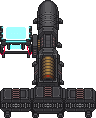 |[[File:|64px|Particle Accelerator]]}} |[[File:|64px|Particle Accelerator]]}}
Particle Accelerator
|
Found in: Engine, parts can be ordered from Cargo
Used for: Creating and maintaining a Singularity
|
|
| {{#if:Particle Accelerator|
| {{#if:true||{{#ifexist: File:| [[File:|64px|Particle Accelerator]]}}|no image}}
|
|
|
| The item needs to have the name defined. }} }} }} }}
{{#if:Radiation Collector|}}
{{#if:| Шаблон:Storage | {{#if:|
{{#if:|Radiation Collector.gif| }} }}
Radiation Collector
|
Found in: Engine, more can be ordered from Cargo or constructed.
Used for: Creating energy from radiation.
Strategy:
|
| Description
|
{{#if:Will generate energy when loaded with a  Plasma Tank (filled with Plasma Gas), if anchored and activated near an active Supermatter. Plasma Tank (filled with Plasma Gas), if anchored and activated near an active Supermatter.
Converts the Plasma into Tritium. Can alternatively be used to generate research points instead of power.
To change configuration to research mode, fill the tank with Tritium and Oxygen instead of Plasma. Then use a multitool on the Radiation Collector.
Examine it to see current configuration. A generic supermatter setup can produce a total of 10 points per minute for each Radiation Collector generating points.
In this research mode, the tank must also be refilled every 5 minutes or so.|Will generate energy when loaded with a Plasma Tank (filled with Plasma Gas), if anchored and activated near an active Supermatter.
Converts the Plasma into Tritium. Can alternatively be used to generate research points instead of power.
To change configuration to research mode, fill the tank with Tritium and Oxygen instead of Plasma. Then use a multitool on the Radiation Collector.
Examine it to see current configuration. A generic supermatter setup can produce a total of 10 points per minute for each Radiation Collector generating points.
In this research mode, the tank must also be refilled every 5 minutes or so.|No description}}
|
|
| {{#if:Creating energy from radiation.|
{{#if:|Radiation Collector.gif|}}
Radiation Collector
|
Found in: Engine, more can be ordered from Cargo or constructed.
Used for: Creating energy from radiation.
|
| Description
|
{{#if:Will generate energy when loaded with a Plasma Tank (filled with Plasma Gas), if anchored and activated near an active Supermatter.
Converts the Plasma into Tritium. Can alternatively be used to generate research points instead of power.
To change configuration to research mode, fill the tank with Tritium and Oxygen instead of Plasma. Then use a multitool on the Radiation Collector.
Examine it to see current configuration. A generic supermatter setup can produce a total of 10 points per minute for each Radiation Collector generating points.
In this research mode, the tank must also be refilled every 5 minutes or so.|Will generate energy when loaded with a Plasma Tank (filled with Plasma Gas), if anchored and activated near an active Supermatter.
Converts the Plasma into Tritium. Can alternatively be used to generate research points instead of power.
To change configuration to research mode, fill the tank with Tritium and Oxygen instead of Plasma. Then use a multitool on the Radiation Collector.
Examine it to see current configuration. A generic supermatter setup can produce a total of 10 points per minute for each Radiation Collector generating points.
In this research mode, the tank must also be refilled every 5 minutes or so.|No description}}
|
|
| {{#if:Radiation Collector|
| {{#if:|Radiation Collector.gif|{{#ifexist: File:Radiation Collector.gif| }}|no image}}
|
|
|
| The item needs to have the name defined. }} }} }} }}
{{#if:TEG|}}{{#if:Thermo-Electric Generator|}}
{{#if:| Шаблон:Storage | {{#if:See below.|
{{#if:true| |[[File:|64px|Thermo-Electric Generator]]}} |[[File:|64px|Thermo-Electric Generator]]}}
Thermo-Electric Generator
|
Found in: MiniStation
Used for: Creating power through a contained huge inferno
Strategy: See below.
|
|
| {{#if:Creating power through a contained huge inferno|
{{#if:true||[[File:|64px|Thermo-Electric Generator]]}}
Thermo-Electric Generator
|
Found in: MiniStation
Used for: Creating power through a contained huge inferno
|
|
| {{#if:Thermo-Electric Generator|
| {{#if:true||{{#ifexist: File:| [[File:|64px|Thermo-Electric Generator]]}}|no image}}
|
| Thermo-Electric Generator
|
|
|
| The item needs to have the name defined. }} }} }} }}
{{#if:Gravitational Singularity Generator|}}
{{#if:| Шаблон:Storage | {{#if:Place in front of a Particle Accelerator|
| Description
|
| An odd device which produces a Gravitational Singularity when set up.|No description}}
|
|
| {{#if:Creating a Singularity|
| Description
|
| An odd device which produces a Gravitational Singularity when set up.|No description}}
|
|
| {{#if:Gravitational Singularity Generator|
{{#if:|Gravitational_Singularity_Generator.png|{{#ifexist: File:Gravitational_Singularity_Generator.png|  }}|no image}} }}|no image}}
|
| Gravitational Singularity Generator
|
|
|
| The item needs to have the name defined. }} }} }} }}
{{#if:Tesla Generator|}}
{{#if:| Шаблон:Storage | {{#if:Place in front of a Particle Accelerator|
| Description
|
| An odd device which produces a Tesla when set up.|No description}}
|
|
| {{#if:Creating a Tesla|
| Description
|
| An odd device which produces a Tesla when set up.|No description}}
|
|
| {{#if:Tesla Generator|
{{#if:true| |{{#ifexist: File:| [[File:|64px|Tesla Generator]]}}|no image}} |{{#ifexist: File:| [[File:|64px|Tesla Generator]]}}|no image}}
|
|
|
| The item needs to have the name defined. }} }} }} }}


